Adjusting the Nest for Your Workspace
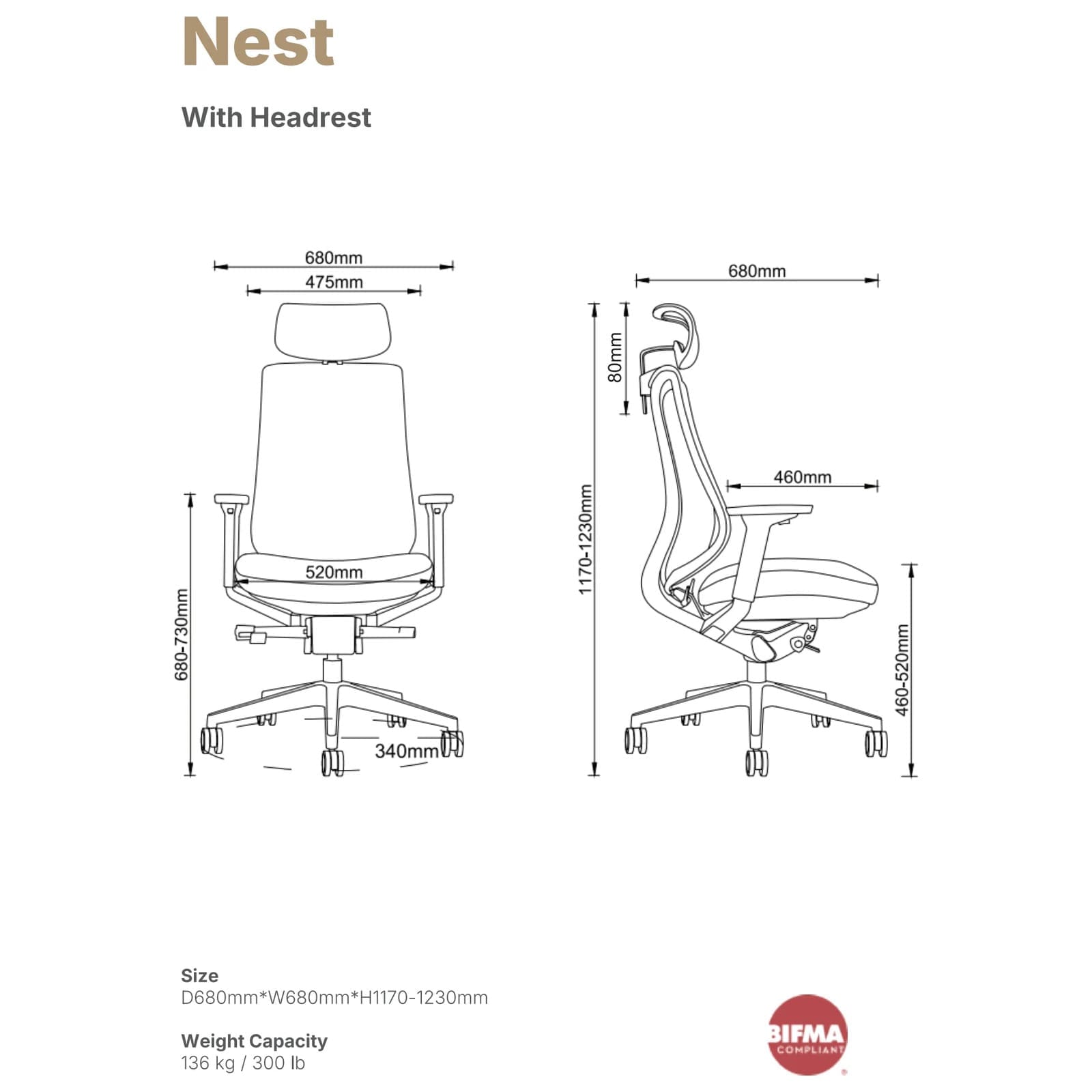
The Hinomi Nest is designed to provide an adaptable seating position for everyday desk work. Start by adjusting the chair around your normal working posture, then fine-tune the seat, back support, and armrests so you can work comfortably without having to reach unnecessarily for your keyboard, mouse, or other frequently used items.
Adjusting the Seat
Use the seat height and depth adjustments to position yourself comfortably in relation to your desk. Seat depth is particularly useful for accommodating different leg lengths and helping you find a position where you can sit against the backrest while remaining comfortable at the front edge of the seat.
- Adjust the seat height to suit your body and work-surface height.
- Adjust the seat depth until the seat comfortably supports your upper legs without forcing you away from the backrest.
- Recheck your seat position after making significant changes to your desk, monitor, keyboard, or other workstation equipment.
Using the Synchronized Recline
One of the distinguishing features of the Nest is its synchronized reclining design. As you move from an upright position into a reclined position, the chair coordinates movement through the seating system rather than treating the seat and backrest as completely independent surfaces.
- Begin in an upright position appropriate for focused desk work.
- Allow the chair to support you as you transition into a more reclined sitting position.
- Use different supported positions throughout the day rather than assuming one position must be maintained continuously.
- Return to an appropriate upright position when performing tasks that require closer access to your desk or keyboard.
Adjusting the Armrests
Position the armrests so your forearms can be supported comfortably during desk work without forcing your shoulders upward. Your preferred position may change depending on whether you are typing, using a mouse, reading, or reclining.
Choosing the Headrest Option
Hinomi offers the Nest with or without a headrest. The headrest version adds support for the head and neck, particularly when using the chair in a reclined position, while the version without a headrest provides a simpler configuration for users who do not want upper head support.
Finding a Comfortable Sitting Position
An ergonomic chair works best when its adjustments are set for the individual user rather than left in their factory positions. Make changes gradually and evaluate the chair while performing your normal desk tasks so you can determine which settings provide the most comfortable support.
- Set the seat height for a comfortable working position at your desk.
- Adjust the seat depth to accommodate your leg length.
- Sit fully against the backrest and evaluate the position of the lower-back support.
- Adjust the armrests so they support your arms without unnecessarily elevating your shoulders.
- If your Nest includes the optional headrest, position it for comfortable support when sitting back or reclining.
- Test both upright and reclined positions and fine-tune the adjustments as needed.
Important Use Information
- Follow Hinomi’s complete assembly and adjustment instructions before using the chair.
- Make sure all components and fasteners are properly installed and secured before sitting in the chair.
- Use the chair’s adjustment and reclining mechanisms only as directed by Hinomi.
- Periodically inspect the chair, casters, armrests, adjustment mechanisms, and fasteners for looseness or damage.
- Do not continue using the chair if a structural component or adjustment mechanism is damaged or no longer operating properly.
Cleaning and Care
Hinomi’s current Nest product page does not provide model-specific cleaning instructions. Follow the care information supplied with the chair and periodically inspect the upholstery, casters, armrests, fasteners, and moving adjustment mechanisms.
Warranty
Under Hinomi’s current warranty policy, chairs outside the H and X series receive a three-year warranty on mechanisms and frame. Hinomi states that qualifying coverage includes missing components at delivery, manufacturing defects in materials, functional defects, and failure of a product to correspond with its description at the time of delivery. Normal wear and tear, misuse, unauthorized modifications, failure to follow Hinomi’s instructions, certain cosmetic variations, and labor required to replace defective parts are excluded. Warranty coverage begins on the product’s delivery date.